



Tradexis

Tradexis sits on TradingView, tags your confirmations in one click, and shows which setups actually make money.

Sample data
  • BOS
  • CHoCH
  • FVG
  • IFVG
  • OB Tap
  • Breaker Block
  • Liquidity Sweep
  • SMT Divergence
  • Displacement
  • Inducement
  • Mitigation
  • EQ High/Low
  • Session Open
  • BPR

Watch the extension log a trade

Chart area, abstract sample candlesticks

Recent trades

  • AAPL+2.8R
  • GBP/JPYOB Tap-1.0R
  • XAU/USDBOS + Liq. Sweep+3.4R
Sample data

Import from chart

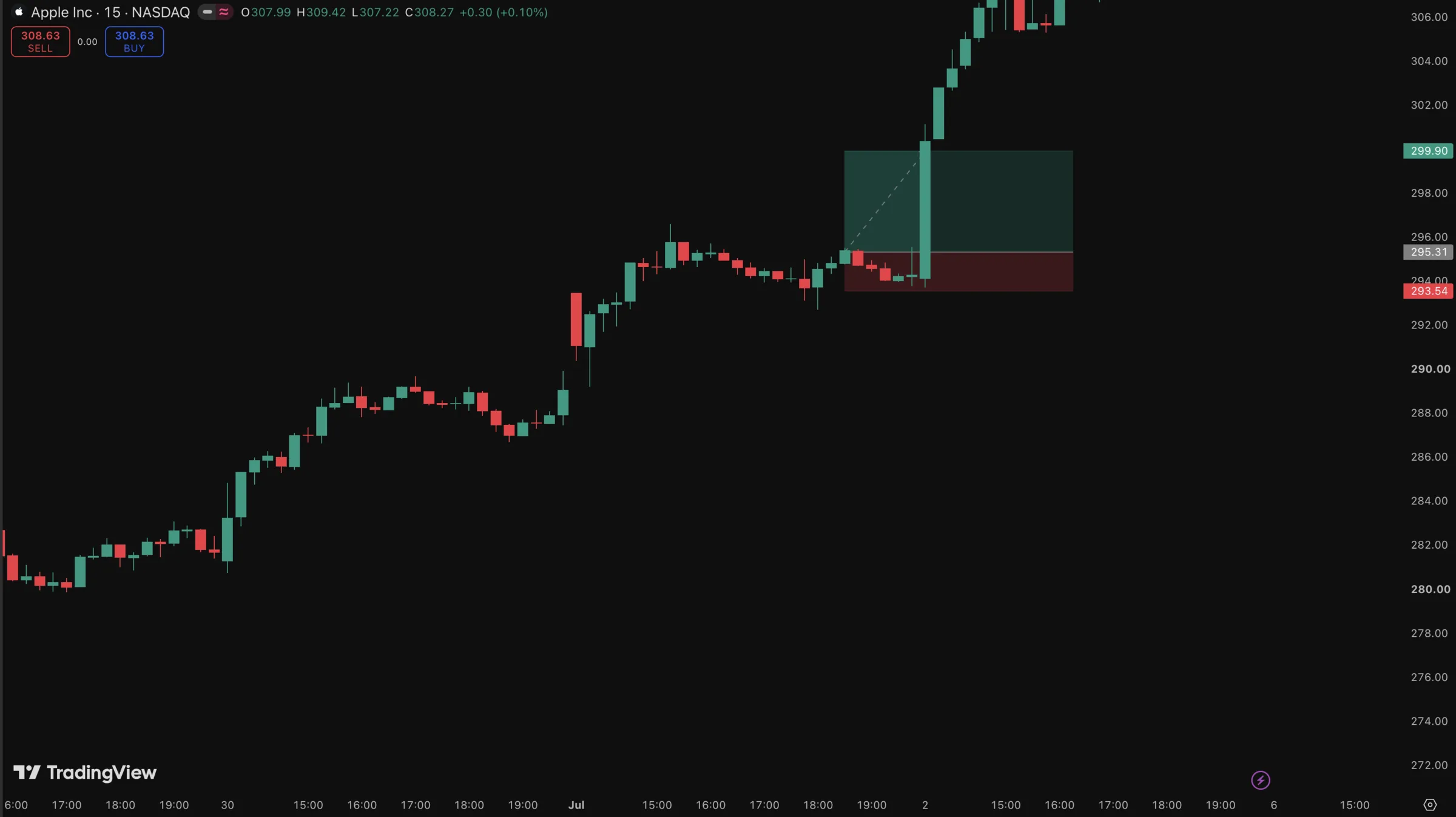
Log a trade in one click — straight from your chart

Draw your position on TradingView and Tradexis reads it: direction, entry, stop, take-profit and the exact time. One click logs the whole trade — no retyping, no tab switching.

  1. 1Draw entry, stop and target on TradingView
  2. 2Hit Import from chart in the panel
  3. 3The trade is logged with prices, RR and timestamp

Sample data

Ask your journal a question.

The AI chat works through your real trades with real tools: it searches them, computes the stats, and answers with your numbers.

Sample data

Find any trade

Pull up trades by pair, session, date, or result, with every detail attached.

Stats on any period

Win rate, R multiples, and streaks computed for the exact range you ask about.

Confirmations, ranked

See which confirmations you lean on the most, and which ones actually pay.

Reviews, read back

It reads your review answers and surfaces the mistakes that keep repeating.

From chart to journal in one click

1

Tag the setup

Confirmations
BOS
FVG
OB Tap
Liq. Sweep

Click the confirmations you see in the panel floating over TradingView. No typing, no tab switch.

2

Take the trade

On submit, Tradexis stores the chart screenshot, pair, timeframe, price, and stop with the trade.

3

Review the edge

Win rate by confirmation

142 trades

  • BOS + FVG78%
  • OB Tap62%
  • CHoCH only44%

The dashboard shows which confirmation combos win. Size up the good ones, cut the rest.

See which confirmations get paid

Every logged trade feeds your analytics: win rate per confirmation, combo hit rates, session performance, and R multiples.

78%

win rate on BOS plus FVG entries in this sample journal, against 44% for CHoCH alone.

Win rate by confirmation

142 trades

  • BOS + FVG78% · 41
  • BOS + Liq. Sweep71% · 27
  • OB Tap62% · 35
  • CHoCH only44% · 39

68%

win rate

2.4R

avg result

+41.2R

this quarter

Sample data

Built into the way you already trade

Auto-capture everything

The extension reads the pair, timeframe, and live price straight from the TradingView tab and shoots the chart the moment you submit.

Pair
AAPL
auto
Timeframe
15m
auto
Price
212.44
live
Screenshot
aapl-15m.webp
saved

Floats over your chart

A Picture-in-Picture panel stays on top of TradingView. You never leave the chart to journal.

Backtest and live, kept apart

Separate journals for tested and executed trades reveal where your live fills leak edge.

Ask AI about your data

Question your own history: best pairs, worst sessions, which mistake costs the most.

Bring your old journal

AI-powered import reads CSV, XLSX, and Notion exports, maps the columns, and keeps your history counting.

Your whole history, in a few clicks

Upload the journal you already keep. AI reads the columns, you pick the sheets, Tradexis does the rest.

CSVXLSXNotion .md

CSV and XLSX export is included with every paid plan.

Sample data

Trade review

AAPL · 15m

Setup quality
4 / 5
Followed plan
Yes
Mistake
Early entry
Patient
Hesitated on exit

Entered before the candle closed. The setup was valid, the timing was not.

Sample data

Review the trader, not just the trade

Rate execution, log how the entry felt, and tag the mistakes that keep repeating. Structured review templates turn a losing week into a checklist instead of a mood.

Pricing that scales with your trading

3-day free trial on every plan

Launch offer

Lifetime

Everything in Pro+, forever. Our best-selling plan.

€499one-time payment

Get lifetime access
One-time payment
Pay once. No renewals and no price increases.
Access forever
Keep the extension, journal, and analytics for the life of the product.
All future updates
Every feature we ship from here on is included.

Starter

For traders logging one strategy.

€16.66 / month

€199.90 billed yearly

  • 2 trading journals
  • 5 session tabs
  • Chrome extension overlay
  • Auto-capture screenshots
  • Custom confirmation types
  • Dashboard and analytics
  • AI chat, 5 messages a day
  • Email support
Start free trial

Pro

Recommended

For traders testing multiple setups.

€33.32 / month

€399.90 billed yearly

  • Everything in Starter
  • 5 trading journals
  • Unlimited session tabs
  • AI trade import (CSV, XLSX, Notion)
  • Trade sharing
  • Custom review templates
  • AI chat, 50 messages a day
Start free trial

Pro+

For full-time traders and mentors.

€49.99 / month

€599.90 billed yearly

  • Everything in Pro
  • Unlimited journals
  • Unlimited AI messages
  • Priority support
Start free trial

3-day free trial on every subscription. Prices exclude VAT, calculated at checkout.

Questions traders ask

Does Tradexis work with my broker?

Yes. Tradexis is a Chrome extension that runs on top of TradingView, so it never connects to a broker. It records the chart context and the decisions you made, and you keep trading through whichever broker you already use.

Do I need a paid TradingView plan?

No. Tradexis works with any TradingView plan, including the free tier. As long as TradingView is open in a Chrome tab, the extension can read the pair, timeframe, and price and capture screenshots.

Can I use my own confirmation types?

Yes. You can create, rename, and group confirmation types with custom parameters. Tradexis ships with ICT and SMC concepts like BOS, CHoCH, FVG, and order blocks, and it supports any methodology you trade.

What is the difference between live and backtest mode?

Live trades and backtested trades sit in separate journals. Comparing the two shows where your backtested edge breaks down in real execution: slippage, hesitation, or setups you skip under pressure.

Which browsers are supported?

Tradexis uses Chrome's Document Picture-in-Picture API. It works on Google Chrome and Chromium-based desktop browsers such as Edge, Brave, and Arc.

Is my trading data private?

Yes. Your journal is stored on encrypted servers and never shared with third parties. Paid subscribers can export everything as CSV or XLSX at any time, and you can delete your account and data whenever you want.

Stop guessing. Start recording.

3 days of full access, cancel anytime. Your next trade can be the first one you can explain.